Look-alike domain
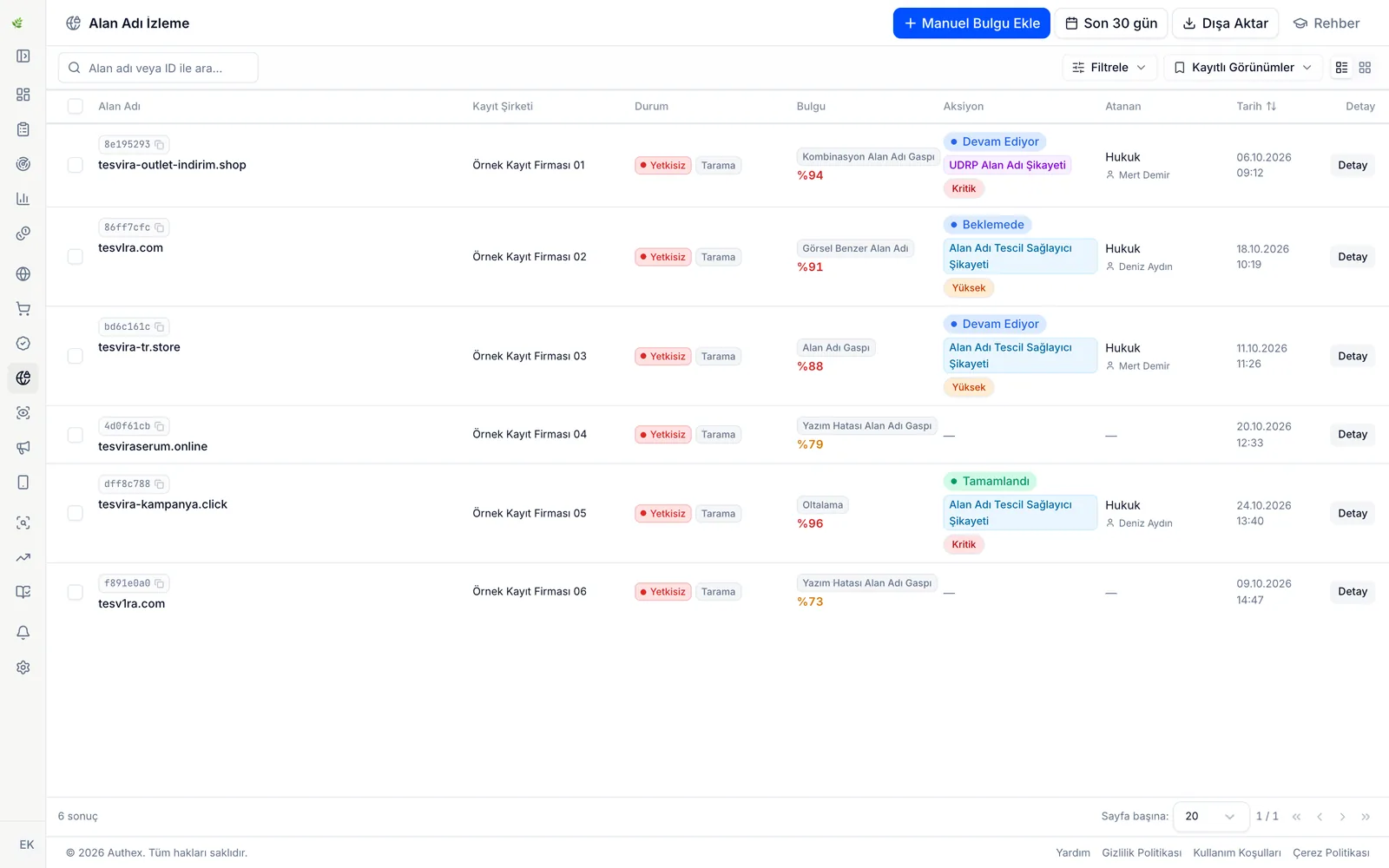
Domains made to resemble the brand with a typo, a look-alike character or an added word are found.

Authex domain monitoring is an online brand-monitoring solution that detects domains resembling your brand and the fake shop and phishing sites running on them, collects the evidence and reports it. For each finding it prepares the evidence file and a draft abuse report; the brand's team or its lawyer decides whether to send it and sends it.
Overview
Domain monitoring tracks domains registered to look like your brand name and the sites that go live on them. Domains built from a typo, look-alike characters or the brand name plus a word such as “sale” or “store” can be used for fake campaigns, counterfeit sales and phishing.
Authex generates look-alike domain candidates for your brand and checks which are registered and live using DNS and WHOIS records. New domains that appear in Certificate Transparency logs when they request an SSL certificate are added to the candidates, so some domains become visible before any content is published.
On live sites, the content, logo use and redirects are examined; the logo, favicon and screenshot are compared with yours, and phishing signs in the address such as “login”, “verify” or “payment” are assessed. Sites using your logo are found through reverse image search.
Scope
Scans run across the extensions you choose, from generic ones such as .com and .net to the .tr family including .com.tr and other country-code extensions.
Detection
Domains made to resemble the brand with a typo, a look-alike character or an added word are found.
Page content, logo use and redirects are checked to flag sites trying to collect user data.
Sites using your logo are found by reverse image search.
Evidence
Process
The brand name, official domains and allowed dealer domains are entered; these never become findings.
Typo, look-alike character and added-word variants are generated, and new domains from Certificate Transparency logs are added.
DNS and WHOIS records show which candidates are registered and live.
Content, logo use, redirects and phishing signs on live sites are assessed, and findings are ranked by risk level.
The brand's team confirms, reviews or dismisses each finding.
For a confirmed finding, Authex prepares the evidence file and a draft report for the registrar or hosting provider. The brand's team or lawyer sends it, and Authex keeps tracking the site's status.
Who it is for
Manufacturers whose name could be used on fake discount sites during sales seasons see those domains early.
Exporters known in several countries follow the extensions they choose, from .com.tr to other country-code domains.
Brands selling through their own web shop notice look-alike domains that lure customers to phishing pages.
Lawyers preparing a domain dispute or an abuse report work from a record with WHOIS, DNS and a screenshot.
FAQ
Authex detects the domain and the site, records them with evidence and prepares a draft abuse report for the registrar or hosting provider. The brand's team or its lawyer sends the report or files a domain dispute, and Authex keeps tracking the site's status.
Domains made to resemble the brand through a typo, look-alike characters or an added word, across the extensions you choose, from generic ones such as .com and .net to the .tr family including .com.tr and other country-code extensions. New domains appearing in Certificate Transparency logs are added to the candidates.
No. The brand's official and allowed domains are kept out of scope.
Yes. The evidence file holds the WHOIS, DNS and SSL records, the redirect chain and a screenshot together. Your lawyer can use it for an abuse report or a domain dispute.
Guides

Bad-faith registration of domains resembling a brand: common forms, the UDRP for .com, the BTK dispute mechanism for .tr, and early detection.
5 min read
A pre-season checklist, the order for capturing evidence and reporting to ad platforms, registrars and hosts, and where UDRP and .tr disputes fall short.
5 min read
Evidence of online brand infringement means listing captures, timestamps, seller details, test purchases and, if needed, a notarial record. Here is the order.
6 min readIndustries
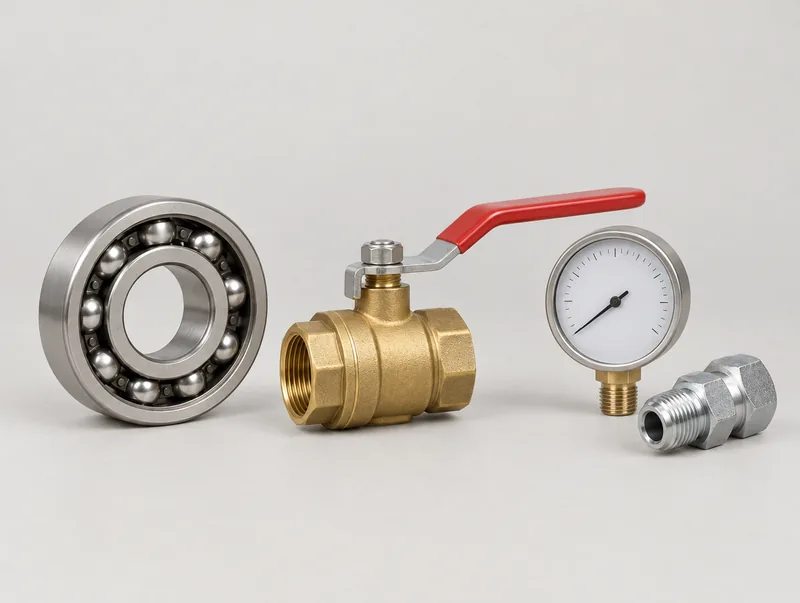 Industrial equipmentMonitor fake distributor sites, look-alike domains and counterfeit consumables listings.
 Food and beverageMonitor fake campaign pages, counterfeit listings and online sales missing mandatory food information.
 PharmaceuticalsFind and document websites, fake pharmacy accounts and listings that sell your medicines online.
Other solutions
Regularly monitors your brand's visibility on marketplaces; detects and reports counterfeits, unauthorized sellers and unauthorized brand use with evidence.






Monitors your brand's presence on independent e-commerce sites; detects unauthorized sales, counterfeits and unauthorized dealer activity with evidence.
Regularly searches the records of 9 trademark and 10 patent offices, including TÜRKPATENT, EUIPO, WIPO and USPTO, for filings similar to your brand and products, and lists them with their source. The infringement assessment belongs to your trademark and patent attorney.
Meeting request
The first meeting reviews your brand, sales channels and the risks you face, and recommends a monitoring scope.
Request a meeting